
User manual for Heyi Electronics' NB-IoT smart wireless door magnet sensor with alarm, battery monitoring, and remote management via WeChat.
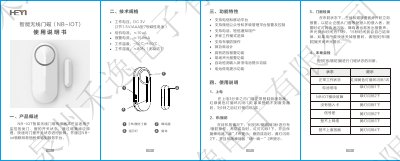
This document provides instructions for installing and operating the HY-22N (V1.0) NB-IoT smart wireless door magnet sensor. It explains how to set up the device, perform local self-checks, and manage it remotely via a WeChat public account. The sensor monitors door and window status using magnetic reed switch technology and transmits data via NB-IoT to a cloud platform.
Key features include low-power operation, tamper alarm, battery low voltage alerts, and support for multiple work modes and remote control via WeChat or SMS. This manual is written in Chinese.
| Alarm Current | ≤150mA |
|---|---|
| Operating Temperature | -10℃~+50℃ |
| Operating Humidity | ≤80% (no condensation) |
| Standby Current | ≤10uA |
| Operating Voltage | DC 3V |
Install the main unit on the door/window frame with double-sided tape or screws. Attach the magnet to the moving part using double-sided tape. Ensure the magnetic reed switch is aligned on the same side and within 10mm distance.
The device flashes the green light every 60 seconds and emits a beep to alert the user to replace the battery.
Hold the [Arm/Disarm] button for 3 seconds within 10 seconds of powering on. The device will beep twice and flash red slowly three times to confirm reset.
Use the WeChat public account 'Heyi Cloud' to add the device, scan its QR code, input user information, and bind it. You can also configure alerts, notifications, and control via the app.