
Key facts
- Manuals
- 1
- Languages
- ZH
- Last added
- 2026-11-17
Featured 禾逸电子 manuals
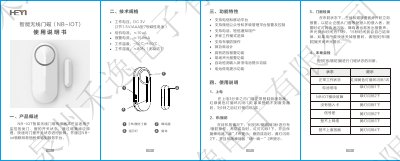
Heyi Electronics HY-22N (V1.0) NB-IoT Smart Wireless Door Magnet User Manual
This document provides instructions for installing and operating the HY-22N (V1.0) NB-IoT smart wireless door magnet sensor. It explains how to set up the device, perform local self-checks, and manage it remotely via a WeChat public account. The sensor monitors door and window status using magnetic reed switch technology and transmits data via NB-IoT to a cloud platform.
Key features include low-power operation, tamper alarm, battery low voltage alerts, and support for multiple work modes and remote control via WeChat or SMS. This manual is written in Chinese.
Covers: Product Overview · Technical Specifications · Functional Features · Usage Instructions · Installation · WeChat Public Account Usage
Latest 禾逸电子 manuals
Heyi Electronics HY-22N (V1.0) NB-IoT Smart Wireless Door Magnet User Manual
User Manual 2 pages · 767 KB · ZHUser manual for Heyi Electronics' NB-IoT smart wireless door magnet sensor with alarm, battery monitoring, and remote management via WeChat.
Which document do I need?
User Manual
Day-to-day operation, settings and troubleshooting. Start here if the product is already set up.
Questions answered in 禾逸电子 manuals
How do I install the door magnet?
Install the main unit on the door/window frame with double-sided tape or screws. Attach the magnet to the moving part using double-sided tape. Ensure the magnetic reed switch is aligned on the same side and within 10mm distance.
From: Heyi Electronics HY-22N (V1.0) NB-IoT Smart Wireless Door Magnet User Manual
What happens when the battery is low?
The device flashes the green light every 60 seconds and emits a beep to alert the user to replace the battery.
From: Heyi Electronics HY-22N (V1.0) NB-IoT Smart Wireless Door Magnet User Manual