
Spanish user manual for a GSM/GPRS/GPS vehicle tracker covering SIM installation, wiring, SMS commands, alarms and specifications.
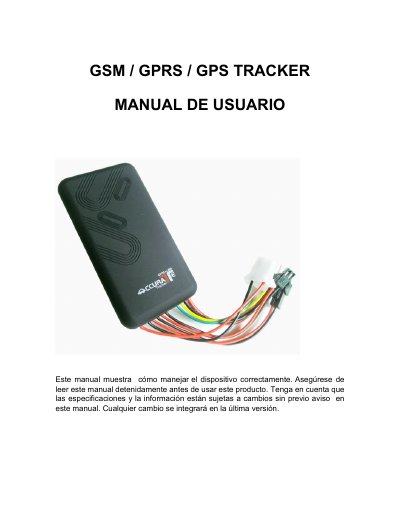
This Spanish user manual explains how to set up and use a GSM/GPRS/GPS tracker for a vehicle. It works with existing GSM/GPRS and GPS satellite networks so the device can locate and monitor a specific point through SMS or GPRS commands, and it lists the main functions such as real-time SMS/GPRS tracking, voice monitoring, speed alarm, ACC anti-theft alarm, geo-fence alert, SOS alarm and a backup battery for power disconnection.
The manual walks through SIM card installation, cable connections (red, black, yellow and green wires) and the SMS command set: initialization, password change, authorized number, single and continuous location, voice monitoring, geo-fence, speed alert, ACC alert, SOS alarm, time zone, oil/circuit cut-off and GPRS settings. It closes with a specification table, indicator-light meanings and troubleshooting notes. This manual is written in Spanish.
| Dimensions | 97 mm x 51 mm |
|---|---|
| Weight | 80 g |
| Frequency band | 900/1800 MHz or 850/900/1800/1900 MHz |
| GPS chip | UBLOX |
| GSM module | MTK60 |
| GPS sensitivity | -159 dBm |
| GPS accuracy | 5 m |
| Time to first fix | Cold 45 s, hot 35 s |
| Working voltage | 9 V - 36 V |
| Storage temperature | -40 °C to +85 °C |
| Operating temperature | -20 °C to +55 °C |
| Humidity | 5% - 95% |
La contraseña por defecto es 123456.
Envíe el SMS "#begin#123456#" al rastreador; si tiene éxito responderá "begin ok" y todos los parámetros vuelven a los valores de fábrica.
Envíe el SMS "#speed#contraseña#velocidad#"; por ejemplo "#speed#123456#080#" y el dispositivo responderá "speed ok".
Posiblemente el dispositivo no pudo leer la tarjeta SIM, por lo que hay que verificarla y volver a instalarla.