
Growatt ShineWiFi-S Quick Installation Guideline

Installation and configuration guide for the Growatt ShineWiFi-S module, covering connection to inverters and routers, app registration, and troubleshooting.
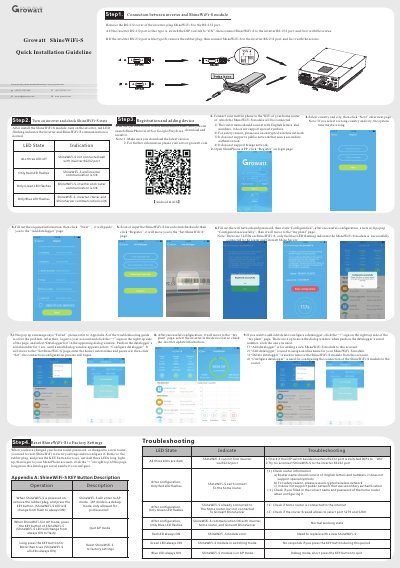

Growatt ShineWiFi-S Quick Installation Guideline - cover page
Brand
Growatt
Category
Other Electronics
Document type
User Manual
Language
English
Pages
1
File format
PDF
File size
2.2 MB
Published
05 November, 2026
Updated
05 November, 2026
MD5 checksum
1BD0522CDE610DA452E7AB53386E7C21

About this manual

This document provides step-by-step instructions for installing and configuring the Growatt ShineWiFi-S module. It details how to connect the module to an inverter via the RS232 port and to a home WiFi router, followed by registration and setup using the ShinePhone app.

What's inside

  • Installation
  • Configuration
  • LED State Indication
  • Troubleshooting
  • App Registration
  • Factory Reset
  • AP Mode
  • Key Button Operations

Frequently asked questions

What does it mean if all three LEDs on the ShineWiFi-S are off?

It indicates that the ShineWiFi-S module is not connected well with the inverter.

What does a flashing red LED indicate after configuration?

It indicates that the ShineWiFi-S and inverter communication is OK.

How do you reset the ShineWiFi-S to factory settings?

Remove the rubber plug, press and hold the KEY button for more than 6 seconds until all LEDs light up.

What is the purpose of AP mode on the ShineWiFi-S?

AP mode is a debug mode used for professional purposes, entered by removing the rubber plug and pressing the KEY button.

Download PDF (2.2 MB)

More Growatt Manuals


View all Growatt manuals →