
Instruction manual for connecting Growatt solar inverter and ShineWiFi/USB-WiFi module, and using ShineTools software for configuration
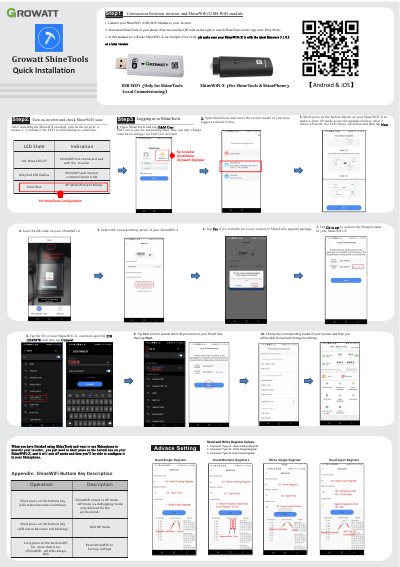
The Growatt ShineWiFi-X is a wireless module designed to connect with inverters. This guide explains how to install the module, enter AP mode for initial setup, and use the ShineTools application on Android or iOS devices to configure settings and monitor inverter data.
The document details specific button operations, such as short-pressing to enter AP mode (indicated by a solid blue LED) and long-pressing to reset factory settings. It also covers the process of scanning QR codes for app installation and inputting default PINs like 12345678 during connection.
A solid blue LED indicates that the device is in AP Mode (Hotspot Mode).
The default PIN required to connect is 12345678.
You must long press the bottom button key for more than 6 seconds.