
This quick setup guide explains how to connect the Gram Precision K3 weight indicator to a PR6 printer and change its factory default.
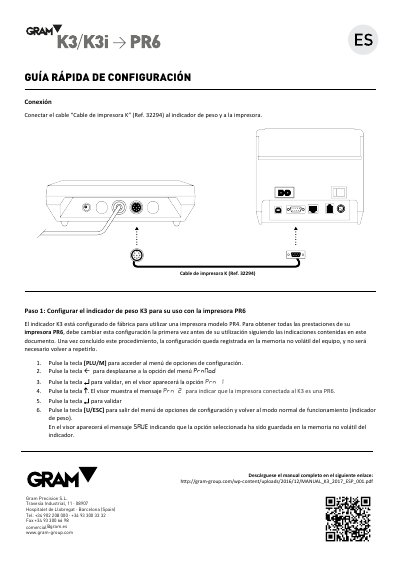
This quick setup guide from Gram Precision explains how to connect the K3 weight indicator to a PR6 printer. The K3 is factory-set to use a PR4 printer, so the setting must be changed before first use with the PR6 to get all of the PR6 printer's features. The guide uses the printer cable (Ref. 32294) and describes accessing the configuration menu, moving to PrnNod, validating Prn 1, pressing a key to show Prn 2, validating, and exiting. The configuration is saved in the indicator's non-volatile memory and does not need to be repeated. This manual is written in Spanish.
Connect the printer cable (Ref. 32294) to the weight indicator and the printer.
The K3 is factory-set for a PR4 printer, so change the setting before use to get all of the PR6 printer's features.
The configuration is saved in the indicator's non-volatile memory and does not need to be repeated.