
User manual for the Gembird EG-UPS-PS2000-01 and EG-UPS-PS3000-01 line-interactive pure sine wave UPS units with LCD display and USB interface.
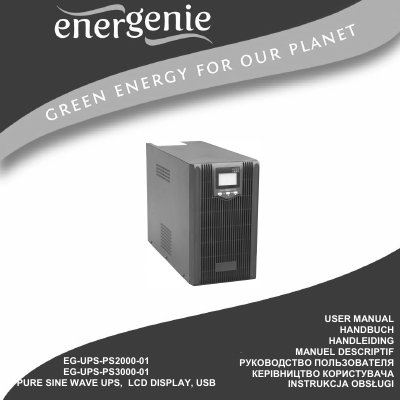
This manual covers the Gembird EG-UPS-PS2000-01 and EG-UPS-PS3000-01 pure sine wave uninterruptible power supply (UPS) units. Both models feature a line-interactive design with automatic voltage regulation (AVR), USB interface, LCD and LED status display, audiovisual warnings, and intelligent protection against overload, overvoltage, and excessive battery charge/discharge.
The document includes product features, technical specifications, control button operations for the setting interface, safety instructions, WEEE disposal guidance, and warranty conditions. The EG-UPS-PS2000-01 is rated at 2000VA (1600W) while the EG-UPS-PS3000-01 is rated at 3000VA (2400W). This manual is written in Polish.
| Type | Line interactive |
|---|---|
| Input voltage | AC 220V±25%, 50Hz/60Hz ±10% |
| Output voltage | AC 220V±12%, 50Hz/60Hz ±1% (AC 220V±5% during inverter operation) |
| Transfer time | No longer than 10ms |
| Backup time | 10–30 minutes depending on load |
| Battery | Lead-acid 12V/9Ah, F2 terminals (4 pcs for EG-UPS-PS3000-01) |
| Charging time | Up to 12 hours |
| Sockets | C14 input, 4 C13 outputs; USB-BF |
| Operating conditions | 0°C~40°C, 10~90%RH without condensation |
| Power | 2000VA (1600W); 3000VA (2400W) for EG-UPS-PS3000-01 |
| Noise | Less than 50 dB at 1m distance |
| Dimensions | 412x215x144mm (467x336x190mm for EG-UPS-PS3000-01) |
| Weight | 18.5kg (28.1kg for EG-UPS-PS3000-01) |
The battery should be charged for at least 12 hours before normal UPS operation. If the battery is discharged or unused for three months, it should be charged immediately for at least 12 hours.
No, the UPS is designed to work with a computer and should not be connected to devices with inductive or capacitive loads such as electric motors, fluorescent lamps, or laser printers.
The backup time is 10 to 30 minutes depending on the connected load.
Press the two keys simultaneously for 3 seconds to start up or shut down the unit. Pressing the setting interface key for 5 seconds restores factory settings.