
This manual provides technical guidance for the Fourstar FS-ETH-Q industrial-grade serial-to-Ethernet adapter designed for Mitsubishi Q-series PLCs.
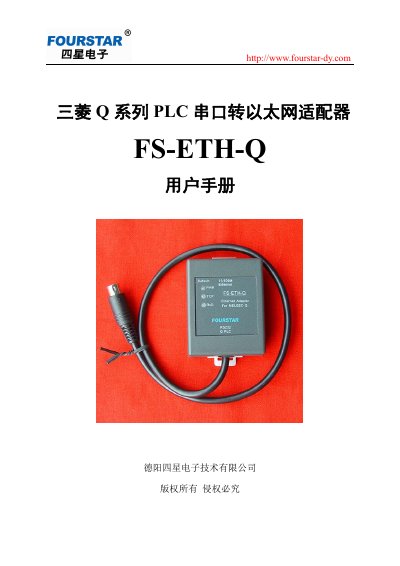
The Fourstar FS-ETH-Q is an industrial-grade serial-to-Ethernet adapter specifically designed for use with Mitsubishi Q-series PLCs. It supports multiple functions including transparent data transmission, MODBUS TCP/RTU gateway conversion, and multi-master shared serial server capabilities.
The device utilizes time-division technology to allow up to 96 master stations to simultaneously access a single serial device or multiple devices on a bus without changing existing software states. It features an RJ45 Ethernet port with 10/100Mbps auto-adaptation and an RS232 interface compatible with Mitsubishi Q-series PLC programming ports, powered directly by the PLC's communication port. This manual is written in Chinese.
| Ethernet Port Type | RJ45 socket with LED indicators |
|---|---|
| Ethernet Speed | 10/100Mbps adaptive |
| Isolation Voltage | 1500V |
| Serial Port Type | RS232 interface, MD6 M plug |
| Baud Rate Range | 1200bps to 115200 bps |
| Working Voltage | DC 5V |
| Operating Temperature | -40℃ to +85℃ |
| Dimensions | 65mm x 51mm x 26mm (LxWxH) |
The adapter supports up to 96 master stations accessing a single serial device or multiple devices on a bus at the same time.
The factory default IP address is 192.168.1.254.
Press and hold the Default button for more than 3 seconds.