
Firstrate FST100-XFS101 smart fire hydrant strap terminal user manual covering monitoring functions, specifications, installation, and communication protocol.
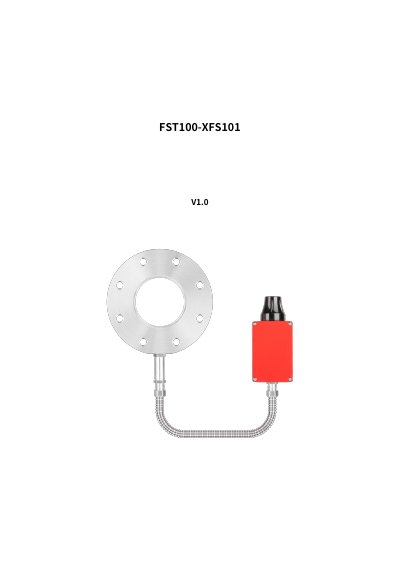
Firstrate FST100-XFS101 is a smart fire hydrant strap terminal that monitors hydrant tipping, low water pressure, and water pressure fluctuations and sends alarms. It uses NB-IoT communication and has a built-in 3.6 V lithium battery.
The manual describes its technical specifications, installation steps, platform connection, communication protocol data fields and commands, and precautions. This manual is written in Chinese.
| Power supply | Built-in 3.6 V lithium battery |
|---|---|
| Communication method | NB-IoT |
| Communication protocol | LWM2M (China Telecom AEP) |
| Peak working current | ≥200 mA |
| Standby current | ≤10 µA |
| Pressure monitoring range | 0 to 1.6 MPa |
| Pressure accuracy | ±0.5% FS |
| Tilt alarm threshold | Tilt angle ≥10° after impact |
| GPS positioning | BeiDou and GPS dual positioning; outdoor use only |
| GPS accuracy | 5 m in open environment |
| Bluetooth | Bluetooth 4.0; communication distance ≤5 m |
| Waterproof rating | IP65 |
| Battery capacity and life | 6000 mAh; 3 years (heartbeat every 12 hours) |
| Operating environment | Temperature -40 to +70 °C; relative humidity ≤95% (40 °C, no condensation) |
It monitors hydrant tipping, low water pressure, and water pressure fluctuations, and alarms.
Fix the controller to the hydrant body with clamps and install the antenna (black box) facing upward and unobstructed.
After installation, send the set_installation_status command with value 0 via Bluetooth or the cloud platform.
It uses the China Telecom AEP platform and the LWM2M protocol.
Under normal use, the warranty is one year, and all products are repaired for life.