
User manual for the Ferguson portable DVD player, covering setup, connections, battery charging, disc playback, setup menus, and troubleshooting.
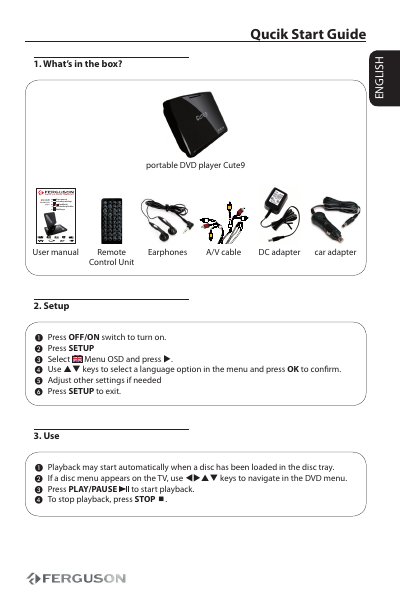
This Ferguson portable DVD player user manual provides safety information, power-source guidance, setup and connection instructions, and basic operating steps. It explains how to use the AC/DC adapter or car adapter, charge the battery pack, connect headphones, and connect the player to a TV or amplifier.
The manual also covers disc playback, basic playback controls, repeat/shuffle functions, DVD setup menus, XviD and multimedia-file playback, troubleshooting, specifications, and a glossary.
| Power input | DC IN 9V socket |
|---|---|
| Battery charging time | Approximately 3.5–4 hours when charged from power off |
| Video playback formats | DVD, VCD and SVCD |
| A/V output connections | Video: yellow; Audio left: white; Audio right: red |
The battery can usually be fully recharged in 3.5–4 hours.
On the DVD player panel, press SOURCE to select A/V OUT.
Aim the Remote Control directly at the sensor on the front of the player.
Turn off your set before connecting to any additional equipment.