
User manual for the Family Robot Ver3.0 robot, covering parts, packing list, app and Wi-Fi setup, controls, specifications, precautions, and troubleshooting.
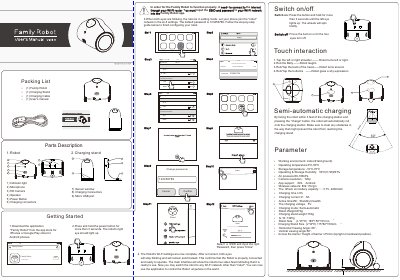
The Family Robot Ver3.0 is an indoor robot controlled through the Family Robot app for iOS and Android. The manual describes its parts, packing list, power and charging, touch interactions, and the steps for connecting the robot to a Wi-Fi network.
It also explains the app's robot management, camera and movement controls, connection guide, precautions, common problems, and the listed operating parameters such as camera resolution, battery, size, and weight.
| Working environment | indoor (Hard ground) |
|---|---|
| Operating temperature | 0℃-50℃ |
| Storage temperature | -10℃-70℃ |
| Camera resolution | 720p |
| App support | iOS, Android |
| Wireless network | 802.11b/g/n |
| Charging time | ≤ 8h |
| Active time | ≥5h |
| Standby time | ≥9h |
| Charging voltage | 5V |
| Robot weight | 870g |
| Robot size (L*W*H) | 185*150*151mm |
| Horizontal viewing angle | 66° |
| Vertical viewing angle | 56° |
| Obstacle crossing height | ≤15mm |
The default Wi-Fi password is 123456789.
Place the robot on the charging stand and touch the back of its head four times; the fourth touch restores the login password and Wi-Fi settings.
Check the robot's indicator lights: if both eyes are lit, check the router's internet connection; if only one eye is lit, check whether the router was switched off.
With the robot facing the charging station within 3 feet, press the charge button and the robot will automatically roll onto the charging station.