
Epson WF-7710/WF-7720 Inkjet Printer User Manual

Instructions for unpacking, setting up, installing ink cartridges, loading paper, and configuring the Epson WF-7710/WF-7720 series inkjet printer.
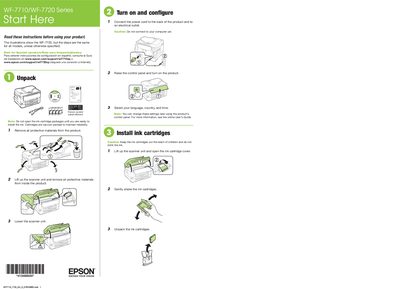

Epson WF-7710/WF-7720 Inkjet Printer User Manual - cover page
Brand
Epson
Category
Printer
Document type
User Manual
Language
English
Pages
4
File format
PDF
File size
1.6 MB
Published
16 October, 2026
Updated
16 October, 2026
MD5 checksum
AF8478796873B8AA4DB7660540C51904

About this manual

This manual provides step-by-step instructions for initial setup of the Epson WF-7710 or WF-7720 inkjet printer. It covers unpacking the unit, removing protective materials, and installing the included vacuum-packed ink cartridges. The guide details how to load paper into the cassette and configure basic settings on the control panel.

What's inside

  • Unpack
  • Turn on and configure
  • Install ink cartridges
  • Load paper
  • Mobile printing
  • Network setup
  • Connect the fax line
  • Install software

Frequently asked questions

How long does it take for the printer to charge the ink?

Ink charging takes approximately 6 minutes.

Can I use third-party cartridges with this printer?

No, the printer is designed for use with Epson cartridges only, not third-party cartridges or ink.

What network connection does this printer support?

The printer can only connect to a network that supports 2.4 GHz connections.

Download PDF (1.6 MB)

More Epson Manuals


View all Epson manuals →