
Epson TM-L90 thermal line printer user's manual covering parts, safety precautions, vertical or horizontal installation, and specifications.
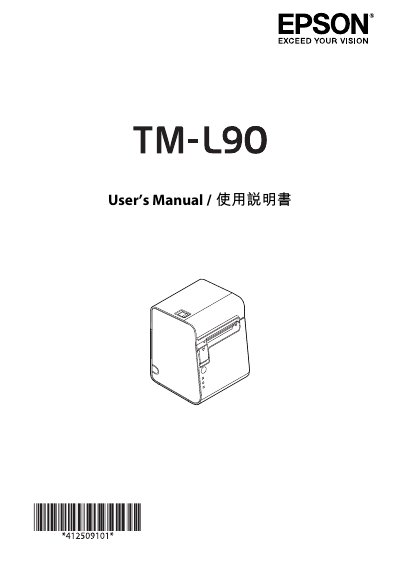
This is the Epson TM-L90 User's Manual, a bilingual (English and Chinese) guide for the TM-L90 thermal line printer. All illustrations are collected at the front of the book and are referenced by letter and number throughout the text; the manual opens with important safety information, caution labels and the restriction of use, then lists the items included in the package and explains where to download utilities and manuals.
The operating part of the manual describes the printer parts and control panel (FEED button, PAPER OUT, ERROR and POWER LEDs), how to attach the cover on the power switch, and how to install the printer vertically on a wall or horizontally on a flat surface, including moving the roll paper near-end sensor. A specification table gives print method, dot density, print width, paper dimensions, interfaces, power supply, temperature and humidity ranges, dimensions and weight, and a Chinese section explains what to do if the roll paper cover cannot be opened.
| Print method | Thermal line printing |
|---|---|
| Dot density | 203 dpi x 203 dpi (dots per 25.4 mm) |
| Print width | 72 mm {2.84"}, 576 dot positions (80 mm wide receipt paper roll) |
| Paper dimensions | 80 mm: 79.5 ± 0.5, max 90 mm; 60 mm: 59.5 ± 0.5, max 90 mm; 58 mm: 57.5 ± 0.5, max 90 mm |
| Thermal paper type | Roll paper monochrome ENTPD, ENTPE; label paper monochrome ENTLA series |
| Interfaces | Serial (RS-232) / Parallel (IEEE 1284) / USB (USB 2.0, full-speed 12 Mbps) / Ethernet (10BASE-T/100BASE-TX) / Wireless (IEEE802.11a/b/g/n) |
| Power supply | DC + 24 V ± 7%; rated output 24 V/2.0 - 10.0 A, maximum output 240 VA or less |
| Current consumption | 1.8 A |
| Operating temperature | 5 to 45°C {41 to 113°F}; storage -10 to 50°C {14 to 122°F}, except for paper |
| Humidity | Operating 10 to 90% RH; storage 10 to 90% RH, except for paper |
| Overall dimensions | 148 x 140 x 203 mm (H x W x D) |
| Weight (mass) | Approximately 1.9 kg {4.19 lb} |
The package contains the printer, roll paper (may not be included depending on the model), power switch cover, wire saddle, roll paper spacer, control panel label and paper exit guide for horizontal installation, a screw for the roll paper spacer, an AC adapter, an AC cable and this user's manual.
Yes. It can be installed vertically with the paper exit at the front by hanging it on a wall with the optional WH-10 hanging bracket set, or horizontally on a flat surface with the paper exit on top.
The PAPER OUT LED lights when roll paper is out, the ERROR LED is off when the printer is online, lights when it is offline and flashes when an error occurs, and the POWER LED lights when the power is on.
Shut down the equipment immediately, unplug it, and contact your dealer or a Seiko Epson service center for advice, since continued use may lead to fire.