
EDTM SP2065 Solar Transmission & Power Meter user manual covering power and transmission measurements, battery replacement, calibration, and operating tips.
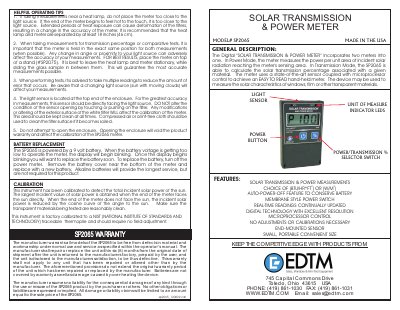
The EDTM SP2065 is a digital solar transmission and power meter that combines two measurement functions. In power mode it measures the power per unit area of incident solar radiation reaching its sensing area; in transmission mode it calculates the solar transmission percentage of a material. The hand-held meter uses an end-mounted light sensor and microprocessor control and can be used on windows, film, or other transparent materials.
This user manual describes the meter's features, battery replacement, calibration, and helpful operating tips. It also explains measuring installed windows, setting up tabletop demonstrations or QC workstations, and changing the unit of measure between Watts/Meter and BTU/hour*foot.
| Model | SP2065 |
|---|---|
| Measurement units | Watts/Meter and BTU/hour*foot |
| Power source | 9 volt battery |
| Calibration | Factory calibrated to a NIST-traceable thermopile |
| Transmission self-calibration | P100 (100% transmission) |
| Country of manufacture | USA |
Turn on the meter, face its light sensor directly at the light source, press the blue % switch to self-calibrate to P100, then place the window or film sample between the light source and the meter to read the transmission percentage.
The battery voltage is getting too low to operate the meter, so replace the battery soon.
Power the unit on, then press and hold the power button for 3 seconds until the display briefly shows the current setting and switches to the new one.
It is recommended that the heat lamp and meter are separated by at least 18 inches (46 cm).