
User manual for the EcoFlow DELTA Pro remote control (EFD500-RC), with installation, wired and wireless connection steps, and specifications.
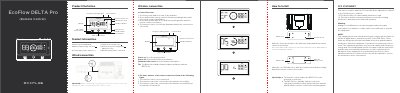
EcoFlow DELTA Pro Remote Control (model EFD500-RC) is a remote accessory for the DELTA Pro power station. It has a power button, main power button, AC output power button, 12 V DC output power button, display, frequency pairing button, standby indicator, and remote control icon. It can be powered by AAA batteries, USB-C at 5.0 V, or a network port at 12 V (DELTA Pro only), and operates from -10°C to 45°C.
The manual shows how to mount the holder with screws or 3M adhesive, how to connect the remote control by wire or wireless pairing, and what the indicator statuses mean. After a successful connection, the remote control screen displays the same content as the DELTA Pro screen; the remote control also enables the DELTA Pro to be powered on remotely.
| Model number | EFD500-RC |
|---|---|
| Battery supply voltage | 3.0–4.5 V |
| Product battery type | AAA (No. 7) |
| USB-C power voltage | 5.0 V |
| Network port power voltage | 12 V (DELTA Pro only) |
| Operating temperature | -10°C–45°C |
Turn on the machine, press and hold the remote control's frequency pairing button until the remote control icon flashes, then press and hold the DELTA Pro frequency pairing button until the icon flashes.
Screw the holder to the wall and attach the remote control, or use 3M adhesive to affix the holder to the wall. For concrete walls, a wall plug is required.
The remote control uses AAA (No. 7) batteries and has a battery supply voltage of 3.0–4.5 V.
After a successful connection, the remote control screen displays the same content as the DELTA Pro screen.