
EASTMAN KODAK COMPANY 305 Digital Photo Printer User Manual

User guide for the EASTMAN KODAK COMPANY 305 Digital Photo Printer, covering safety, setup, operation, troubleshooting, and maintenance.
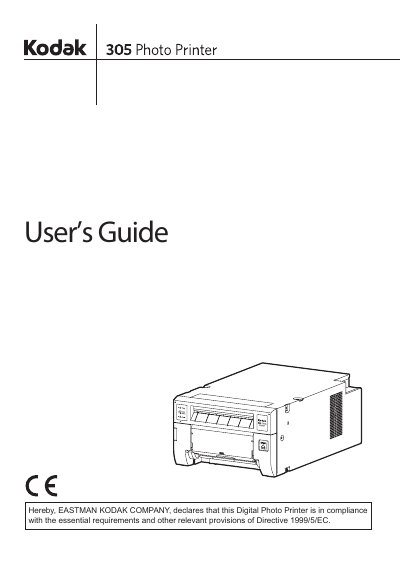

EASTMAN KODAK COMPANY 305 Digital Photo Printer User Manual - cover page
Brand
Eastman Kodak Company
Category
Printer
Document type
User Manual
Language
English
Pages
26
File format
PDF
File size
4.1 MB
Published
06 November, 2026
Updated
06 November, 2026
MD5 checksum
1730A0DF76EA755A32617230D442B543

About this manual

This user manual provides safety precautions, setup instructions, and troubleshooting guidance for the EASTMAN KODAK COMPANY 305 Digital Photo Printer. It includes details on power requirements, handling paper and ribbon, connection procedures, and error resolution. Safety warnings cover risks of electric shock, fire, and physical injury from hot surfaces or jammed paper. Maintenance tips include cleaning and proper storage during transport.

What's inside

  • Safety Precautions
  • Special Features
  • Unpacking
  • Features and Functions
  • Front Panel
  • Rear Panel
  • Before Operation
  • Printer Setup Procedure
  • Print Paper Installation
  • Ribbon Installation

Frequently asked questions

What voltage does the Kodak 305 Photo Printer operate on in the U.S.A. and Canada?

The Kodak 305 Photo Printer is designed to operate on 120 V AC 50/60 Hz in the U.S.A. and Canada.

What must be done to prevent electric shock when servicing the printer?

Do not remove the cover (or back) as there are no user-serviceable parts inside.

What should be done when transporting the printer?

When transporting the printer, remove the ribbon and print paper from the printer.

Download PDF (4.1 MB)

More Eastman Kodak Company Manuals


View all Eastman Kodak Company manuals →