
The DM2218B Sound Board manual provides troubleshooting steps, installation instructions, operation modes, and technical specifications.
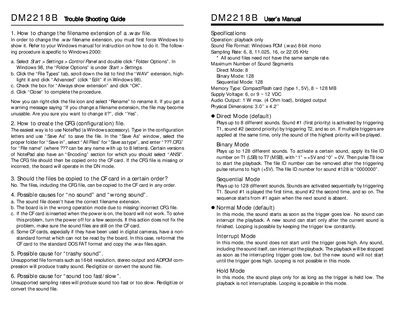
This guide covers troubleshooting procedures, file preparation, and configuration for the DM2218B sound board. It explains how to change file extensions, create CFG files, and resolve common issues such as no sound, wrong sound, and speed problems.
The document also includes an installation guide, terminal block descriptions, power and audio connections, and detailed specifications of the board’s operation modes, memory, supply voltage, and audio output.
| Operation | playback only |
|---|---|
| Sound File Format | Windows PCM (.wav) 8-bit mono |
| Sampling Rate | 6, 8, 11.025, 16, or 22.05 KHz |
| Maximum Number of Sound Segments (Direct Mode) | 8 |
| Maximum Number of Sound Segments (Binary Mode) | 128 |
| Maximum Number of Sound Segments (Sequential Mode) | 128 |
| Memory Type | CompactFlash card (type 1, 5V), 8 ~ 128 MB |
| Supply Voltage | 6, or 9 ~ 12 VDC |
| Audio Output | 1 W max. (4 Ω load), bridged output |
| Physical Dimensions | 3.0" x 4.2" |
Open Windows Control Panel, select Folder Options, go to the File Types tab, highlight the WAV extension and enable "Always show extension".
Use Notepad to type the configuration letters, then save the file with a .CFG extension, selecting "All Files" and "ANSI" encoding.
Possible causes include an incorrect filename extension, the board being in the wrong mode due to a missing or wrong CFG file, inserting the CF card while power is on, or using a CF card formatted in a non‑standard way.