
Key facts
- Manuals
- 3
- Languages
- EN · ZH
- Last added
- 2026-09-29
Featured D&M manuals
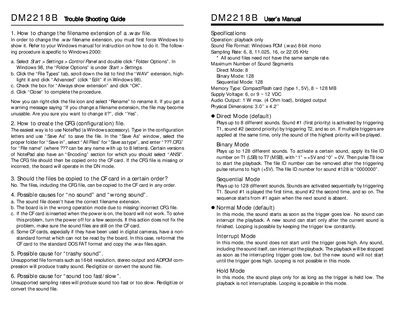
DM DM2218B Sound Board Troubleshooting Guide and User Manual
This guide covers troubleshooting procedures, file preparation, and configuration for the DM2218B sound board. It explains how to change file extensions, create CFG files, and resolve common issues such as no sound, wrong sound, and speed problems.
The document also includes an installation guide, terminal block descriptions, power and audio connections, and detailed specifications of the board’s operation modes, memory, supply voltage, and audio output.
Covers: Trouble Shooting Guide · Installation Guide · Specifications · Operation Modes · Terminal Block Descriptions · CompactFlash Card Programming
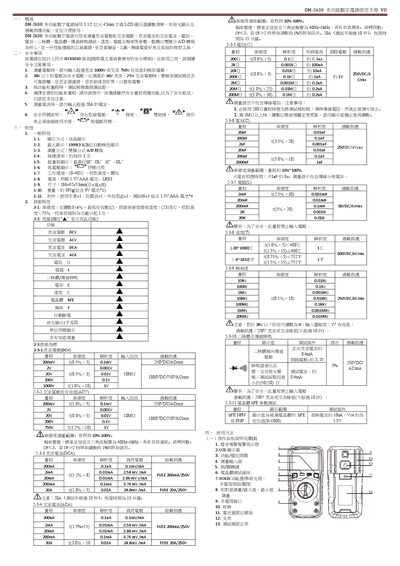
DM-2630 Digital Multimeter User Manual
The DM-2630 is a 3 ½‑digit LCD multimeter that measures DC/AC voltage, current, resistance, capacitance, diode, transistor, continuity, temperature, inductance and frequency. It features dual‑integration A/D conversion, backlight, and overload protection, making it suitable for labs, factories, hobbyists and home use.
The manual covers an overview, safety precautions, detailed specifications, panel and key functions, measurement procedures for each function, battery replacement, fuse replacement, maintenance tips and a troubleshooting guide. This manual is written in Chinese.
Covers: 概述 · 安全事項 · 特性 · 使用方法 · 操作面板說明 · 顯示幕
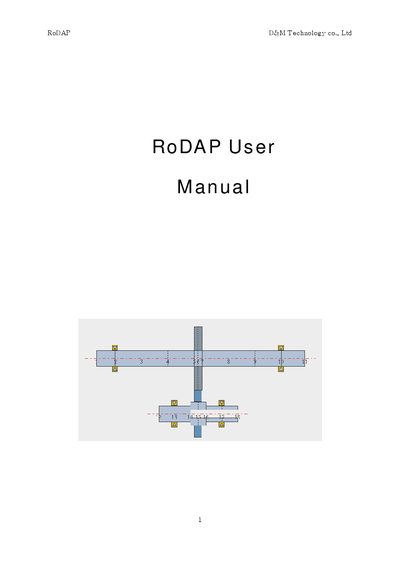
D&M RoDAP User Manual
This manual introduces the RoDAP system, describing its purpose, basic concepts, and the HASP lock‑key protection used for software activation. It lists compatible Windows operating systems (Windows 98, Me, NT 4.0, 2000, XP) and explains the overall structure of the software modules.
The document details the installation process, including CD-ROM and USB/parallel port connections, and guides users through configuring basic numerical data, gear parameters, and rotor properties. It also covers maintenance procedures, gear data editing, and provides tables of material properties such as elastic modulus and density. This manual is written in Chinese.
Covers: Introduction · Lock‑Key (HASP) · Installation · Basic Numerical Data · Gear Data · Maintenance
Latest D&M manuals
DM DM2218B Sound Board Troubleshooting Guide and User Manual
User Manual 2 pages · 30 KB · ENThe DM2218B Sound Board manual provides troubleshooting steps, installation instructions, operation modes, and technical specifications.
DM-2630 Digital Multimeter User Manual
User Manual 2 pages · 539 KB · ZHThe DM-2630 digital multimeter manual provides safety guidelines, features, operation instructions, maintenance and troubleshooting.
D&M RoDAP User Manual
User Manual 33 pages · 928 KB · ZHThe D&M RoDAP User Manual provides installation, operation, and maintenance instructions for the RoDAP system.
Which document do I need?
User Manual
Day-to-day operation, settings and troubleshooting. Start here if the product is already set up.
Questions answered in D&M manuals
How do I change the filename extension of a .wav file?
Open Windows Control Panel, select Folder Options, go to the File Types tab, highlight the WAV extension and enable "Always show extension".
From: DM DM2218B Sound Board Troubleshooting Guide and User Manual
How do I create the CFG configuration file?
Use Notepad to type the configuration letters, then save the file with a .CFG extension, selecting "All Files" and "ANSI" encoding.
From: DM DM2218B Sound Board Troubleshooting Guide and User Manual
What is the maximum DC voltage the DM-2630 can measure?
It can measure up to 1000 V DC.
How long may the DM-2630 measure a 20 A current?
The 20 A range can be used for no more than 10 seconds per measurement.
What lock‑key system does RoDAP use?
RoDAP uses a HASP lock‑key for software protection.
Which Windows operating systems are supported by RoDAP?
RoDAP supports Windows 98, Windows Me, Windows NT 4.0, Windows 2000, and Windows XP.