
The DigiTech RP1000 user manual explains setup, operation, preset editing, and technical specifications for the integrated effects switching system.
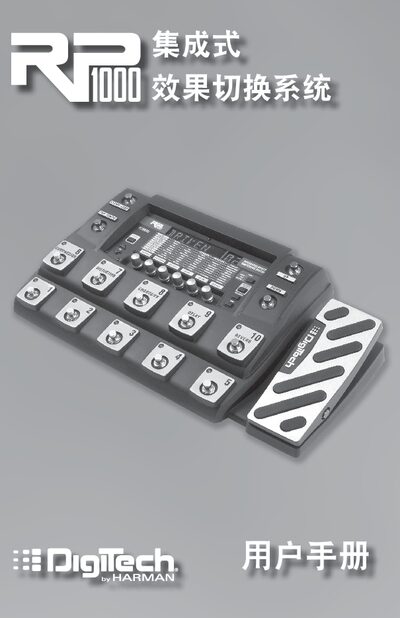
This manual introduces the RP1000 integrated effects switching system, describing its packaging contents, preset and pedal modes, and how to use the bypass and tuning functions. It also details the front‑panel controls, rotary knobs, and expression pedal functions.
The later sections cover editing presets, the built‑in Tone and Effects libraries, routing options such as amp and cabinet bypass, loop configurations, power requirements, and a full list of technical specifications. Safety notices, warranty information, and software requirements for the X‑Edit editor are also included. This manual is written in Chinese.
| A/D/A Converter | 24‑bit high‑performance audio |
|---|---|
| Sample Rate | 44.1 kHz |
| DSP Processor | AudioDNA2™ |
| Voltage Rails | ±15 V |
| Electronic SNR | ≥ 107 dB |
| USB Interface | USB 2.0 compatible |
| Preset Memory | 100 user presets, 100 factory presets |
| Dimensions | 19.5" L × 10.75" W × 3.75" H |
| Weight | 11.5 lbs |
| Guitar Input Impedance | 1 MΩ |
| Maximum Input Signal | 8 dBu |
| XLR Output Impedance | 2 kΩ balanced |
| Maximum XLR Output Level | 14 dBu |
| Power Supply (AC) | 9 VAC 1.3 A |
| Power Adapter Models (US/Canada) | PS0913B-120 (120 VAC, 60 Hz) |
Press the pedal of the currently active preset; the pedal lights indicate that the system is in bypass mode, allowing the guitar signal to pass through unprocessed.
The RP1000 provides 100 user presets (1‑00) and 100 factory presets (F1‑F00).
Press and hold the currently active preset’s pedal for two seconds; the display shows “BYpaSS” and “TuneR”, indicating that tuning mode is active.