
Instructions for operating the 50W smart transformer controller, including power, mode, dimmer, and pairing functions.
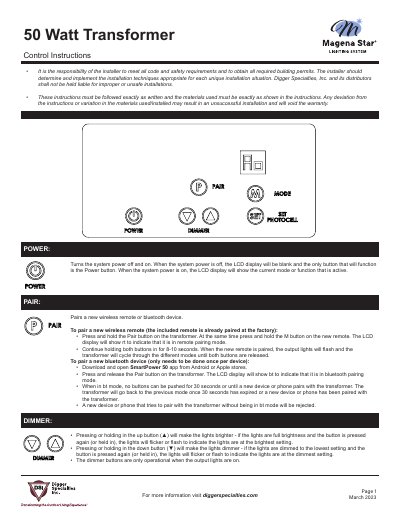
This manual explains how to operate the 50W smart transformer controller. It covers power control, mode selection (1h to 8h, dusk-to-dawn, always on), dimmer adjustment, and pairing with wireless remotes or Bluetooth devices. The device uses a photocell for automatic lighting control based on ambient light levels.
The controller features an LCD display that shows the active mode or function. Buttons are used to navigate settings and adjust brightness. Safety and installation instructions are included, emphasizing compliance with local codes and warranty conditions. This manual is written in Chinese.
Press the POWER button to turn the system on or off. When off, the LCD display is blank and only the POWER button works.
You can set modes including 1h to 8h timers, dusk-to-dawn (dd), and always on (Ao).