
User guide for Dell XPS™ M1730 laptop covering setup, power connection, and component identification.
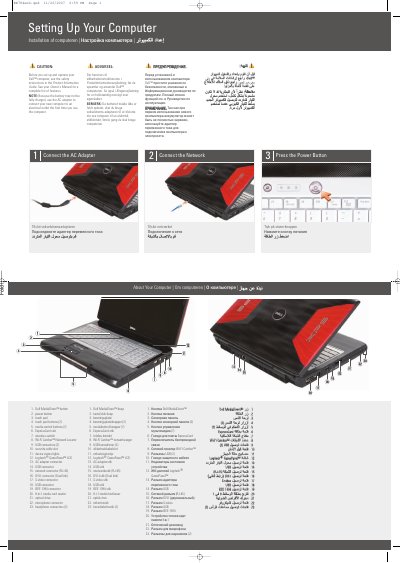
This manual provides instructions for setting up the Dell XPS™ M1730 laptop, including connecting the AC adapter and powering on the device. It details the locations and functions of key components such as the touchpad, media control buttons, and various ports. Safety instructions are referenced in the Product Information Guide, and users are advised to use the AC adapter for the first use to ensure the battery is fully charged.
The manual also includes diagrams and descriptions of optional wireless network setup, listing required components like a wireless router and modem. Users are directed to the Owner's Manual or support.dell.com for additional information. This manual is written in Chinese.
Connect the AC adapter to the laptop and plug it into an electrical outlet.
Use the AC adapter to connect the computer to an electrical outlet to ensure the battery is fully charged.