
Dell P18F quick start guide for Inspiron M5040/15-N5040/15-N5050/3520 computers, with setup steps, features, function keys, and regulatory information.
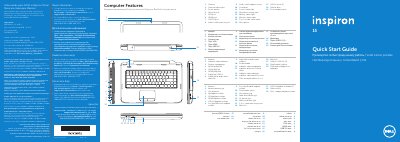
This multilingual quick start guide covers Dell computers with regulatory model P18F, including Inspiron M5040/15-N5040/15-N5050/3520. It lists NOM importer details, input power ratings, and basic setup steps such as connecting the power adapter and pressing the power button.
It also identifies computer features and function keys, explains wireless status indicators, and shows where to record the Windows password and service tag. Support contact information and links to additional Dell documentation are included. This manual is written in Spanish.
| Regulatory model | P18F |
|---|---|
| Type | P18F001; P18F002; P18F003; P18F004 |
| Computer model | Inspiron M5040/15-N5040/15-N5050/3520 |
| Input voltage | 100 to 240 VAC |
| Input current (maximum) | 1.50 A/1.60 A/1.70 A |
| Input frequency | 50 to 60 Hz |
The regulatory model number is P18F.
It covers Inspiron M5040/15-N5040/15-N5050/3520.
The input voltage range is 100 to 240 VAC.
Go to dell.com/ContactDell; customers in the United States can call 800-WWW-DELL (800-999-3355).