
Dell OptiPlex 9030 AIO Quick Start Guide with setup steps for Windows, security, network, accounts, power, peripherals, and stand, plus a features list.
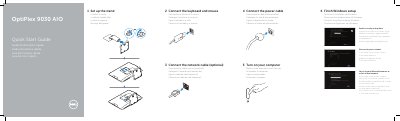
This quick start guide provides setup instructions for the Dell OptiPlex 9030 AIO all-in-one computer. It covers finishing Windows setup, enabling security and updates, connecting to a network, logging in to a Microsoft account or creating a local account, connecting the power cable, turning on the computer, connecting an optional network cable, connecting the keyboard and mouse, and setting up the stand.
The document also lists the computer's features, including microphones, camera privacy latch, camera, camera-status light, optical drive, OSD buttons, hard-drive activity light, power button, stereo speakers, HDMI and USB connectors, network connector, DisplayPort-out, audio-out, security lock slot, power-cable connector, stand, service tag, headset connector, and memory card reader. Product support and manuals are available at dell.com/support.
Follow the stand setup instructions included in the quick start guide.
Product support and manuals are available at dell.com/support and dell.com/support/manuals.
The computer model is OptiPlex 9030 AIO.