
Quick start guide for Dell Latitude 7212 Rugged Extreme Tablet with power connection and uSIM card insertion instructions.
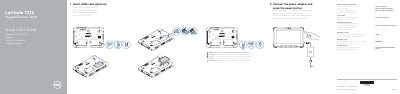
This guide helps you set up the Dell Latitude 7212 Rugged Extreme Tablet. Connect the power adapter and press the power button to start. Insert the uSIM card if needed. The tablet includes features like a fingerprint reader, camera, and multiple ports for connectivity. It is designed for rugged use with dust protection and QuadCool ventilation.
The guide also includes safety notes: keep the screen-side at least 15 mm from the body when a transmitter is active. Clean the QuadCool vents for optimal performance. Additional support and manuals are available at Dell.com/support.
| Computer Model | Latitude 7212 Rugged Extreme Tablet |
|---|---|
| Regulatory Model | T03H |
| Regulatory Type | T03H002 |
Connect the power adapter and press the power button.
You must keep the screen-side at least 15 mm (0.59 inches) away from the user's body under all circumstances when a transmitter is active.
You must remove the battery to access the uSIM card slot.
The Rugged Control Center software is available for download at Dell.com/support.