
Daktronics quick guide DD1509618 for cleaning digital billboard photocells, multi-direction light sensors, and Mobotix or Panasonic webcams.
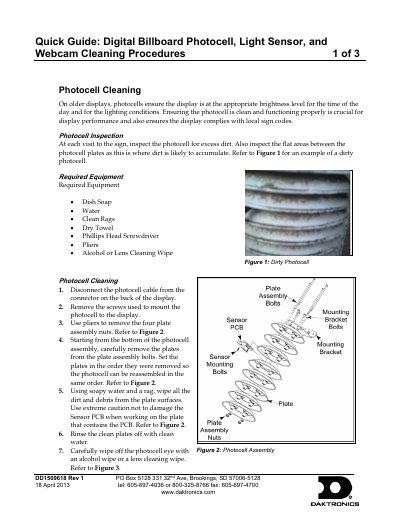
This quick guide (DD1509618 Rev 1, dated 18 April 2013) from Daktronics describes cleaning procedures for components on a digital billboard: the photocell, the Multi-Direction Light Sensor (MDLS), and the Mobotix and Panasonic webcams. It explains why each part needs to stay clean and lists the equipment required before starting.
The photocell section covers inspection for dirt, tools needed, and step-by-step removal, washing and reassembly of the photocell plates. The MDLS section describes cleaning all three sensor windows with glass cleaner, and the webcam sections give short procedures for wiping the Mobotix and Panasonic lenses, including cleaning inside the Panasonic case if needed.
Remove and disassemble the photocell plates, then wipe all dirt and debris from the plate surfaces with soapy water and a rag, rinse with clean water, and dry with a clean towel.
The MDLS measures light from the display face, the display back, and ambient light conditions, and all three of its windows must stay clean for proper dimming.
Spray a small amount of glass cleaner on one window at a time, wipe it with a clean rag, and check that it is clean and streak free.
Inspect the photocell for excess dirt, including the flat areas between the photocell plates where dirt is likely to accumulate.