
A quick guide for starting up and operating the Daktronics All Sport 5000 Series scoreboard controller, covering keypad functions, clock control, and sport…
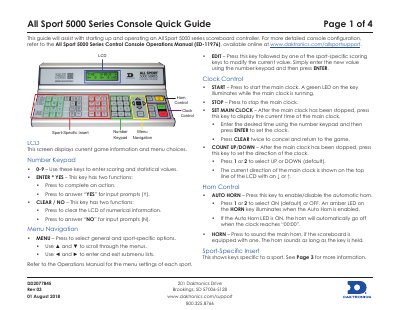
This document serves as a quick reference for the Daktronics All Sport 5000 Series Console. It details the functions of the LCD screen, number keypad, and menu navigation keys. It also explains how to control the main clock and the automatic horn, as well as how to use sport-specific inserts.
| Document Revision | Rev 03 |
|---|---|
| Document Date | 01 August 2018 |
| Address | 201 Daktronics Drive Brookings, SD 57006-5128 |
| Support Phone | 800.325.8766 |
Press YES when the console displays the last game code to resume the game stored in memory.
Press NO to start a new game or change sports, then enter the new sport code using the number keypad.
By default, both the console and scoreboard are set to Broadcast Group 1, Channel 01.
Press the AUTO HORN key and select 1 or 2 to turn it ON; an amber LED will illuminate when enabled.