
Daiwa Industrial camera OSD menu setting manual covering lens, exposure, backlight, white balance, day/night and noise reduction settings.
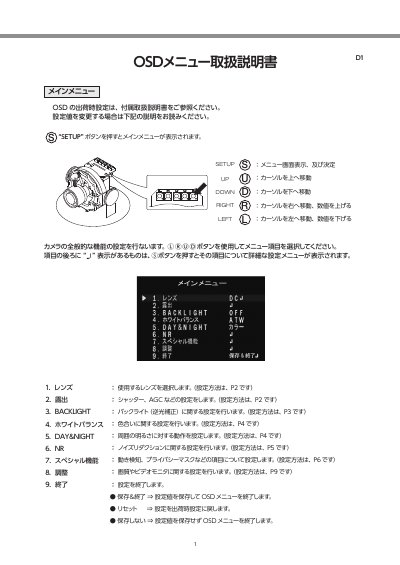
This Daiwa Industrial document explains the camera OSD (on-screen display) setup menu and how to operate it. Pressing the SETUP button shows the main menu, which includes lens, exposure, backlight, white balance, DAY&NIGHT, noise reduction, special functions, adjustment and exit items.
Use the cursor buttons to select menu items and the SET button to open detailed settings. Settings can be saved and exited, reset to factory defaults, or exited without saving. This manual is written in Japanese.
| AGC level | 0 ~ 15 |
|---|---|
| Brightness | 1 ~ 100 |
Pressing the SETUP button displays the main menu.
It exits the OSD menu without saving the setting values.
D-WDR processes dark and bright screen areas to create a properly bright image and performs backlight compensation.