
Installation guide for the Connects2 E01OP26000 CAN-Bus steering wheel control interface for Vauxhall/Opel Corsa (D) 2009-2014 with CD30/CD50/CD70/CDC40…
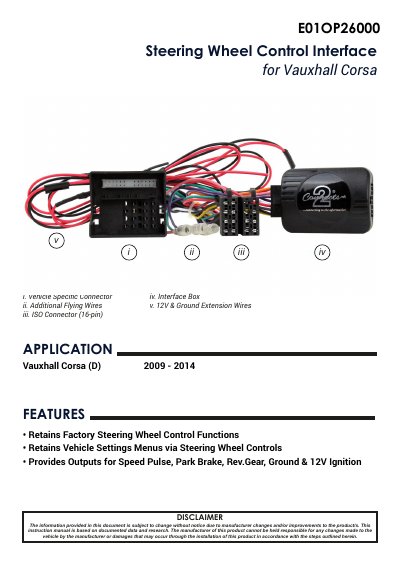
The E01OP26000 is a CAN-Bus steering wheel control interface for the Vauxhall/Opel Corsa fitted with a CD30, CD50, CD70 or CDC40 original stereo and a Quadlock connector. It retains the factory steering wheel control functions and the vehicle settings menus, and provides outputs for speed pulse, park brake, reverse gear, ground and 12V ignition.
The document covers the interface contents, wiring key and additional connections, steering wheel control functionality, how to access the system settings menu, and a step-by-step installation guide with a wiring diagram. It notes that a separately supplied stereo connection (patch) lead is required and that technical knowledge is necessary for installation.
| Application | Vauxhall Corsa (D) 2009 - 2014 |
|---|---|
| Compatible original stereos | CD30 / CD50 / CD70 / CDC40 |
| Vehicle connector | Quadlock connector |
| ISO connector | 16-pin |
| Additional outputs | Speed Pulse, Park Brake, Reverse Gear, Ground, 12V Ignition |
| Speed pulse wire colour | Pink |
| Park brake wire colour | Green |
| Reverse gear wire colour | Purple |
It is designed for the Vauxhall Corsa (D) from 2009 to 2014 with a CD30, CD50, CD70 or CDC40 original stereo and Quadlock connector.
Yes, the interface helps retain the steering wheel controls when upgrading to an aftermarket stereo.
Hold the 'Source' button for approximately 2 seconds to access the System Settings menu.
The pink flying wire provides the speed pulse output.