
The Citizen YF20 smartwatch simple operation manual explains button functions, display usage, smartphone pairing, and menu settings.
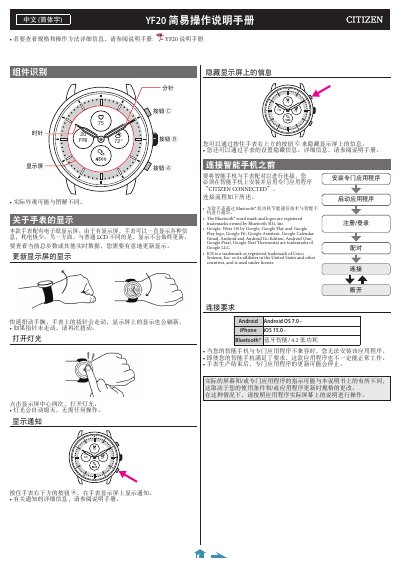
This manual introduces the YF20 smartwatch’s components, button layout, and e‑paper display operation. It shows how to refresh the display by twisting the wrist and how to activate the backlight with a double tap.
It also provides step‑by‑step instructions for installing the Citizen Connected app, pairing the watch with Android or iOS smartphones via Bluetooth Low Energy, handling pairing failures, syncing data, and using the on‑watch menu to adjust time, calendar, and other settings. This manual is written in Chinese.
| Display type | Electronic paper display |
|---|---|
| Wireless communication | Bluetooth® Low Energy |
| Android requirement | Android OS 7.0 or later |
| iOS requirement | iPhone iOS 15.0 or later |
Quickly twist your wrist; the watch’s hands move and the e‑paper display refreshes.
Tap the center of the display twice to turn on the light; it turns off automatically.
Install the Citizen Connected app, open Bluetooth on the phone, press the middle button B on the watch, then follow the on‑screen prompts to start pairing.
No. The watch receives time and calendar information from the paired smartphone each time it connects.