
This manual provides instructions for pairing the Citizen W410 watch with a smartphone, adjusting time and calendar settings, configuring flight mode, and…
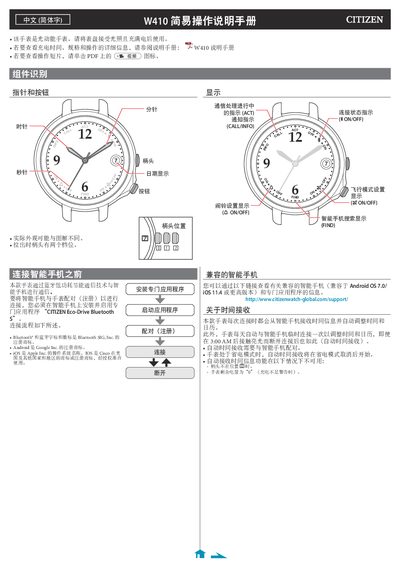
The Citizen W410 is an Eco-Drive Bluetooth smartwatch that communicates with smartphones via low-energy Bluetooth technology. This guide explains how to pair the device using the dedicated "CITIZEN Eco-Drive Bluetooth S" application on compatible Android or iOS devices.
Key operational features covered include checking connection status, managing notifications (calls and information), setting up flight mode to disable connectivity in specific environments like airplanes or hospitals, manually adjusting time and calendar settings, correcting reference positions, and performing a full factory reset. This manual is written in Chinese.
The connection range is approximately 10 meters, though this distance may be shorter if obstacles like walls are present.
It takes approximately 20 to 30 seconds for the watch and smartphone to complete the pairing.