
Spanish field guide to the Casella CEL-712 Microdust Pro dust monitor: batteries, probe, clock and range setup, zero and span calibration, and data logging.
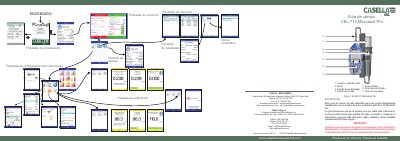
This Spanish field guide is written for someone using the Casella CEL-712 Microdust Pro real-time dust monitor for the first time. It shows how to fit the three AA batteries, connect the probe and its cable, switch the instrument on, and read the instrument controls, variable keys, navigation keys and the different screens.
The guide then goes through instrument configuration — setting the date and time, selecting auto range and choosing the averaging display period — followed by calibration (zero adjustment with the purge bellows and span calibration with the optical calibration insert), data logging with an adjustable logging interval, and viewing stored measurement sessions from the instrument's memory. This manual is written in Spanish.
| Battery supply | Three AA batteries (zinc-carbon, alkaline or rechargeable) |
|---|---|
| Averaging display period | 1 to 60 seconds |
| Logging interval | 1 second to 60 minutes |
| Memory behaviour | Logging stops automatically when internal memory is full |
It uses three AA batteries, which may be zinc-carbon, alkaline or rechargeable; do not mix different battery types.
The averaging display setting lets you choose periods between 1 and 60 seconds.
The logging interval can be set between 1 second and 60 minutes, and logging stops automatically when memory is full.
Open the Settings screen, select Measurement Settings, choose the Range entry, press Edit and select the Auto range option, then press Exit to save.