
Installation guide for BYD's Floor Installation 1 Battery Module Tower, covering setup, wiring, safety, and module stacking.
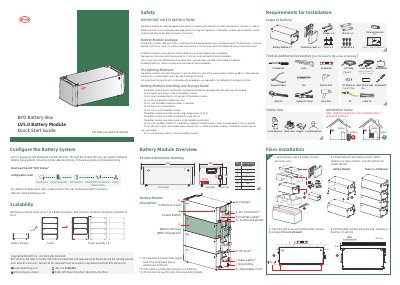
This guide details how to install and configure the BYD Floor Installation 1 Battery Module Tower, supporting 1 to 4 modules per tower with up to 8 towers in parallel. It includes steps for mounting, wiring DC and data cables, grounding, and connecting to an inverter. Safety precautions are emphasized, including indoor-only installation and handling of corrosive electrolytes. The guide also covers LED status indicators for normal and abnormal operation, and troubleshooting steps for communication or power failures. This manual is written in Chinese.
| Max Modules per Tower | 4 |
|---|---|
| Max Towers in Parallel | 8 |
| Battery Type | Lithium-ion Battery LV5.0 51.2V 5000Wh |
| DC Cable Size | 16mm2 |
| Data Cable Type | Cat5 Shield (Metal Shielded RJ45 of Cat5 or higher) |
Yes, up to 8 towers can be connected in parallel.
Contact BYD local after-sales service immediately.