
Manual for the BTI CCS Adapter, detailing setup, software use, and battery charging curve measurement.
This manual guides users through installing and operating the BTI CCS Adapter with compatible hardware and software. It explains how to connect the adapter to a PC via RS232, configure settings, and record battery charging curves on screen. The adapter allows monitoring of voltage, time, and charge amount during charging. Data can be saved and visualized using standard spreadsheet programs.
The manual includes hardware requirements, software installation steps, program operation, and measurement procedures. It also covers handling cases like disconnected batteries or defective units, and explains data storage and retrieval. This manual is written in German.
It is used to record and display battery charge curves on a screen without additional measuring devices.
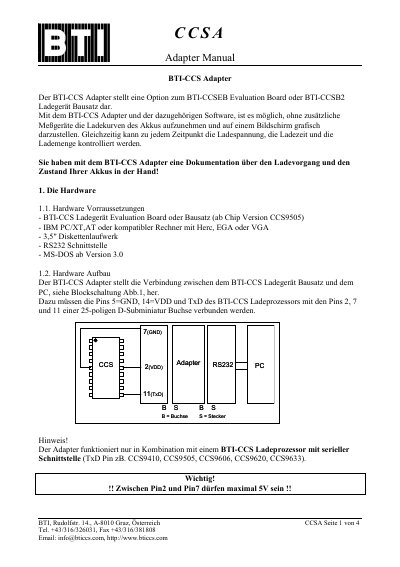
An IBM PC/XT, AT, or compatible computer with Hercules, EGA, or VGA, a 3.5" floppy drive, RS232 interface, and MS-DOS version 3.0 or later.
The graphical recording lasts a maximum of 5 hours.
Data are saved, but cannot be fully displayed graphically (time axis max 300 min).