
Brother PT-2430PC P-touch Labeler User's Guide covering setup, tape cassette installation, power options, safety precautions, and P-touch Editor Lite…
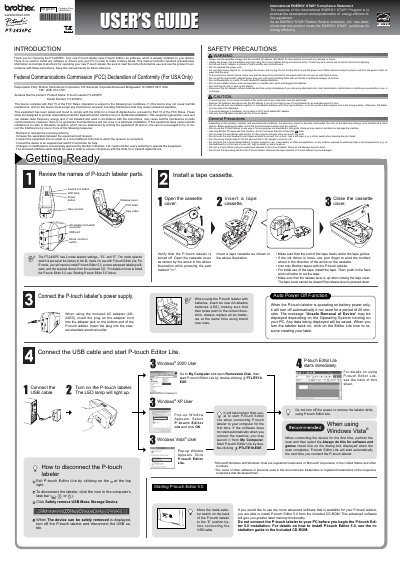
This user's guide covers the Brother PT-2430PC electronic labeling system. It explains how to install a tape cassette, connect the AC adapter or batteries, connect the USB cable, and start P-touch Editor Lite on Windows computers.
Safety precautions cover power cord handling, battery use, print head care, and proper label application. The guide also describes the Auto Power Off function and how to safely disconnect the labeler from a PC.
| Product Name | P-touch Labeler PT-2430PC |
|---|---|
| Model Number | PT-2430PC |
| AC adapter | AD-24ES |
| Batteries | six AA alkaline batteries (LR6) |
| Auto Power Off | 20 minutes |
P-touch Editor Lite software is already installed on the labeler, so no software or drivers need to be installed on the PC.
Insert six new AA alkaline batteries (LR6), making sure their poles point in the correct directions, and always replace all six at the same time.
It turns off automatically if not used for a period of 20 minutes.