
This guide provides quick setup instructions for the Brother HL-2040 and HL-2070N laser printers, covering hardware installation, driver installation for…
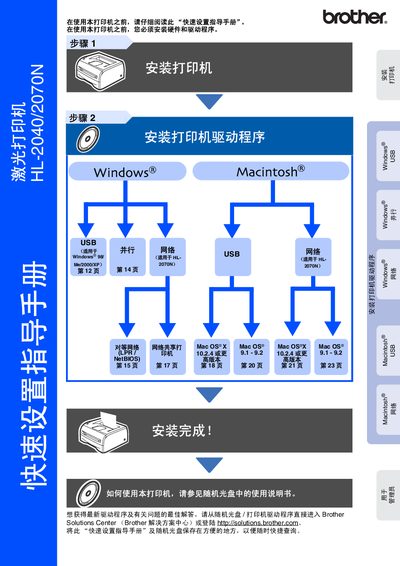
This document is a Quick Setup Guide for the Brother HL-2040 and HL-2070N laser printers. It covers essential steps to get the printer running, including unpacking, installing the toner unit, loading paper, and connecting via USB, parallel, or network interfaces.
The guide provides specific instructions for installing drivers on Windows (98/Me/2000/XP) and Mac OS (9.1-9.2 and X 10.2.4+). It also includes a section for administrators to install the BRAdmin Professional utility and configure network settings using a web browser. This manual is written in Chinese.
The guide states that you must not use a USB interface cable longer than 2.0 meters.
The default password for the user name 'admin' is 'access'.
You must press the Run button six times in a row and then release it.