
Quick start guide for installing and configuring the Bosch D6600 communications receiver/gateway, including parts list, hardware installation, time/date…
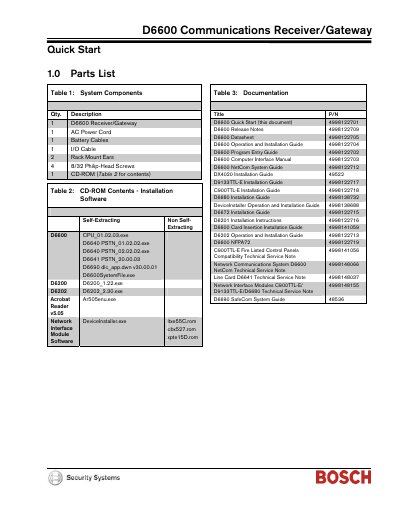
The Bosch D6600 Communications Receiver/Gateway quick start guide provides step-by-step instructions for initial hardware installation. It covers unpacking, rack or desktop mounting, inserting CPU and line cards, connecting AC power (100-120/220-240 VAC, 50-60 Hz, 2.5 A), telephone lines, an automation computer via COM3 (DB-9) using a null-modem cable, and an optional parallel printer.
The guide also explains how to set the time and date through the front-panel menu, and provides an overview for connecting the optional D6680 Network Adapter to COM4 for NetCom network integration, including Ethernet cabling to a network hub and Telnet configuration. A brief D6200 software installation overview is included.
| AC Power Input | 100-120/220-240 VAC, 50-60 Hz, 2.5 A |
|---|
The D6600 accepts 100-120/220-240 VAC at 50-60 Hz, drawing 2.5 A.
Connect the automation computer to COM3, the center DB-9 connector on the CPU terminator card, using a null-modem cable.