
User manual for the Blackburn Dayblazer 550 USB rechargeable front light, covering battery indicators, charging, operation, and warnings.
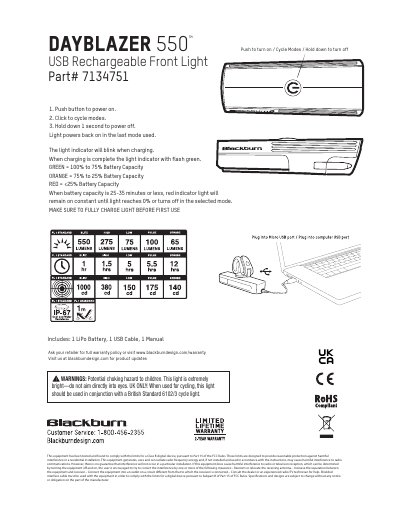
The Blackburn Dayblazer 550 is a USB rechargeable front light, part number 7134751. The package includes one LiPo battery, one USB cable, and one manual. The manual instructs users to fully charge the light before first use.
It explains the battery capacity indicator colors, charging indicator behavior, and button operation: push to power on, click to cycle modes, and hold for one second to power off. It also includes warranty information, choking and eye-safety warnings, UK cycling guidance, and FCC Class B compliance information.
| Part number | 7134751 |
|---|---|
| Included battery | 1 LiPo battery |
| Green battery indicator | 100% to 75% battery capacity |
| Orange battery indicator | 75% to 25% battery capacity |
| Red battery indicator | Below 25% battery capacity |
| Power off | Hold down 1 second |
Push the button to power on, click to cycle modes, and hold down for one second to power off.
Green indicates 100% to 75% capacity, orange indicates 75% to 25%, and red indicates below 25%.
It includes one LiPo battery, one USB cable, and one manual.
Yes. The light powers back on in the last mode used.