
Arduino Multi-function Shield User Manual

A guide for installing the library and using the Arduino Multi-function Shield with code examples.
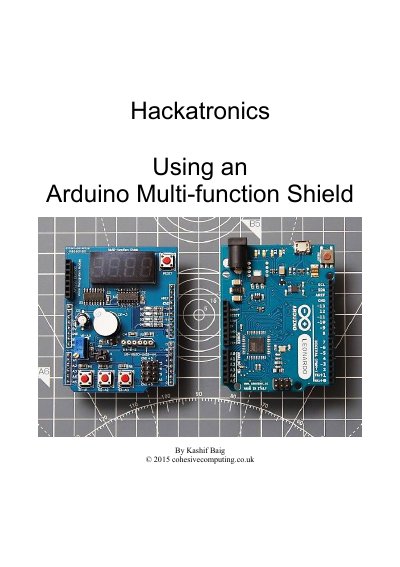

Arduino Multi-function Shield User Manual - cover page
Brand
Arduino
Category
Other Electronics
Document type
User Manual
Language
English
Pages
30
File format
PDF
File size
374 KB
Published
03 October, 2026
Updated
03 October, 2026
MD5 checksum
5CBC3D9377CF8F5942C3B2350DD966BF

About this manual

This manual explains how to install the Multi‑function Shield library, set up the Arduino development environment, and use the shield’s built‑in beeper, buttons, LED lights, digit display, and potentiometer. It also covers reading external sensors such as LM35 temperature, HC‑SR04 sonar, and MPU6050 motion sensor.

Each section provides sample code and step‑by‑step instructions, making it easy for beginners to create basic I/O projects, count pulses, and build real‑world applications like alarms, timers, and speedometers.

What's inside

  • Installing the Multi‑function Shield library
  • Basic Input / Output
  • Using the shield’s beeper
  • Detecting button presses
  • Writing to the digit display
  • Controlling the LED lights
  • Reading the potentiometer
  • Reading sensors (LM35, HC‑SR04, MPU6050)
  • Counting pulses
  • Appendices
Download PDF (374 KB)

More Arduino Manuals


View all Arduino manuals →