
The manual provides specifications, wiring diagrams, configuration codes, and reset procedures for the Altai Technology DAM-3058R 8‑channel data acquisition…
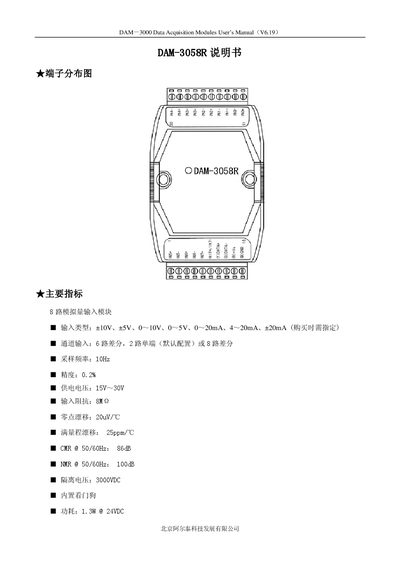
The DAM-3058R is an 8‑channel analog data acquisition module designed for industrial automation and data‑collection systems. It supports multiple input ranges such as ±10 V, ±5 V, 0‑10 V, 0‑5 V, 0‑20 mA, 4‑20 mA and ±20 mA, with high accuracy and isolation.
The document includes a terminal distribution diagram, main specifications, signal wiring and jumper selection diagrams, reset procedure, block diagram, code configuration tables for baud rate and input range, and a detailed terminal definition table. It also describes how to set the module to differential or single‑ended mode and how to perform a factory reset. This manual is written in Chinese.
| Input Types | ±10V, ±5V, 0‑10V, 0‑5V, 0‑20mA, 4‑20mA, ±20mA |
|---|---|
| Channel Input | 6 differential, 2 single‑ended (default) or 8 differential |
| Sampling Frequency | 10 Hz |
| Supply Voltage | 15 V – 30 V |
| Input Impedance | 8 MΩ |
| Zero Drift | 20 µV/℃ |
| Full‑Scale Drift | 25 ppm/℃ |
| CMRR @ 50/60 Hz | 86 dB |
| NMR @ 50/60 Hz | 100 dB |
| Isolation Voltage | 3000 VDC |
| Power Consumption | 1.3 W @ 24 VDC |
Set jumper JP1 to INIT* mode, short the INIT*/IN7‑ pin to GND, apply +10 V to +30 V between +Vs and GND, power on and wait for three rapid flashes, then power off and remove the short; the module will be restored to factory defaults.
After reset the module defaults to address 1 and a baud rate of 9600 bps.
Use the baud‑rate configuration code table; for example, code 03 sets the baud rate to 9600 bps.
By default the module provides six differential channels and two single‑ended channels.