
Installation guide for Alcatel-Lucent Enterprise OmniAccess Stellar AP1220 Series 802.11ac wave2 access points: package contents, mounting and power.
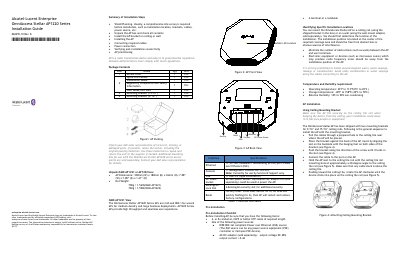
This is the installation guide (060455-10 Rev. B) for the Alcatel-Lucent Enterprise OmniAccess Stellar AP1220 Series access points, covering models OAW-AP1221 and OAW-AP1222. The document lists the package contents, the steps of the installation sequence, external interface specifications, pre-installation checks including cable and power requirements, temperature and humidity limits, and the ceiling-rail mounting procedure using the shipped 9/16" and 15/16" brackets.
Further sections describe the Ethernet port pinout, the power source options (IEEE 802.3at PoE or the ALE 48V AC-DC adapter sold separately), the LED states used to verify post-installation connectivity, and the RJ-45 console port pinout, which the document notes is currently for Service & Support use only. The guide ends with Alcatel-Lucent Enterprise contact information for web and telephone support.
| AP Dimensions | 180mm (W) x 180mm (D) x 36mm (H) / 7.08" (W) x 7.08" (D) x 1.41" (H) |
|---|---|
| Net Weight | 700g / 1.54lb (OAW-AP1221); 720g / 1.59lb (OAW-AP1222) |
| Wireless standard | 802.11ac wave2, mid-end APs for medium density and large business deployments |
| Ethernet interface | 1× 10/100/1000BASE-T autosensing (RJ-45) port, Power over Ethernet (PoE) |
| Console interface | 1× Management Console Port (RJ-45), currently for Service & Support only |
| USB interface | 1× USB 2.0 (Type A connector) |
| DC power socket | DC 48V power socket; optional AC-DC adapter kit sold separately |
| Operating temperature | 32ºF to 113ºF (0ºC to 45ºC) |
| Storage temperature | -40ºF to 158ºF (-40ºC to 70ºC) |
| Relative humidity | 10% to 90% non-condensing |
| Compliant power source | IEEE 802.3at Power over Ethernet (PoE) |
| Adapter requirement | Output voltage DC 48V, output current > 0.4A |
The box contains the access point, a Quick Start Guide, an Installation Guide, Regulatory Compliance and Safety Information, a User Guide Info Card, and mounting brackets for 15/16" and 9/16" ceiling rails.
Press the reset button for 5 seconds; the AP LEDs flash quickly for 3 seconds, then the AP restarts and restores factory configurations.
Use an IEEE 802.3at compliant PoE source on the Ethernet cable, or the ALE 48V AC-DC adapter kit (sold separately) connected to the DC power socket. If both are available, DC power is preferred.
Attach the bracket to the back of the AP by aligning the slot with the hanging feet and pushing until it locks, then hold the AP at about a 20-degree angle to the ceiling tile rail and rotate it clockwise until it clicks into place.