
Alcatel-Lucent Enterprise ALE-30h/ALE-20h/ALE-20 Essential DeskPhone User Manual

User manual for the Alcatel-Lucent Enterprise ALE-30h, ALE-20h, and ALE-20 Essential DeskPhones, covering installation, usage, programming, and technical…
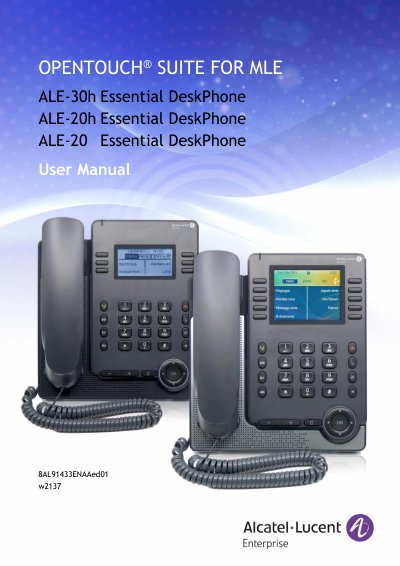

Alcatel-Lucent Enterprise ALE-30h/ALE-20h/ALE-20 Essential DeskPhone User Manual - cover page
Brand
Alcatel-Lucent Enterprise
Category
Other Electronics
Document type
User Manual
Language
English
Pages
72
File format
PDF
File size
2.2 MB
Published
21 October, 2026
Updated
21 October, 2026
MD5 checksum
D9B9FD26FDD60169EE104C35E8970331

About this manual

This manual describes the services and operation of the ALE-30h, ALE-20h, and ALE-20 Essential DeskPhones when connected to an OmniPCX Enterprise system. The ALE-30h and ALE-20h are hybrid phones offering both digital and IP modes, while the ALE-20 is an IP phone with Gigabit Ethernet ports. The document covers features such as wideband audio, programmable keys, and various call management functions.

What's inside

  • Getting to know your telephone
  • Using your telephone
  • Programming your telephone
  • Accessing the messaging portal
  • Making and receiving calls
  • Call forwarding and transfer
  • Conference calls
  • ACD: Agent set/Supervisor station
  • Remote working configuration
  • Technical specifications

Specifications

Display3.5 inch color display
Software Keys2 x 5 context sensitive configurable software keys
Audio Mode (IP)Wideband audio quality
Audio Mode (Digital)Narrow band

Frequently asked questions

Can the ALE-30h and ALE-20h operate in both digital and IP modes?

Yes, they are hybrid phones that offer digital and IP mode on the same network interface via a single port.

How can the ALE-20 be powered?

It can be powered by Power Over Ethernet or by connecting an external power supply sold separately.

What is the display size of the ALE-30h?

The ALE-30h features a 3.5 inch color display.

Download PDF (2.2 MB)

More Alcatel-Lucent Enterprise Manuals


View all Alcatel-Lucent Enterprise manuals →