
User manual for the Afinia Label DC-250 semi-rotary label machine: specifications, installation, media path, waste removal, slitter and die plate setup.
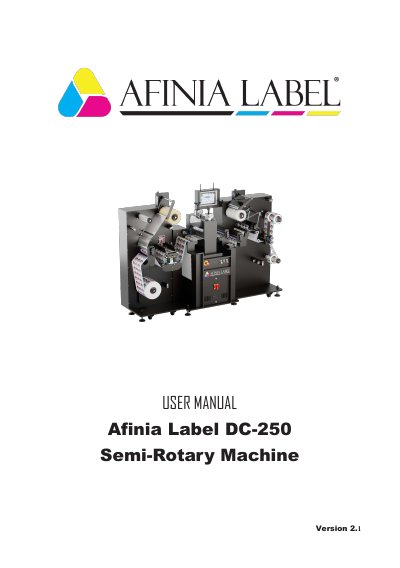
This user manual covers the Afinia Label DC-250 semi-rotary label machine. It lists the machine's technical specifications and power requirements, shows the layout and media path, and explains how the unwinder module and the rotary and rewinder module are assembled, leveled and aligned.
Operation sections describe loading the waste, setting the silencer, using the splice table, adding or removing a blade holder, setting the slitter and trim removal modules, rotating or replacing the razor blade, installing the die plate, cutting blank labels, and regular maintenance and safety notes.
| Media Width | Up to 250 mm |
|---|---|
| Unwinder Roll Diameter | Up to 500 mm |
| Lamination Roll Diameter | Up to 250 mm |
| Max. Diecutting Width | 230 mm |
| Max. Diecutting Length | 360 mm |
| Max. Finished Label Rewind | 400 mm |
| Max. Waste Matrix Rewind | 300 mm |
| Power Requirements | 100-240V~ 1 kW, 50/60 Hz |
| Operating temperature | 5°C to 35°C |
| Storage temperature | 5°C to 50°C |
| Die plate width | 90 to 222 mm |
| Die plate length | 166 to 386 mm |
| Rotary cylinder | Magnetic cylinder 18" - Z72 model, 72 gear teeth |
The DC-250 accepts media up to 250 mm wide.
It requires 100-240V~ at 1 kW, 50/60 Hz.
Remove the two screws holding the small iron support securing the blade, rotate or replace the blade, then reinstall the small iron support to screw the blade in place. The razor blade offers four cutting corners.
The slitter module has three positions: upper (A) for media loading, middle (B) for positioning the longitudinal cut, and lower (C) where the blades cut through the media.