
Installation instructions for the Accurate Technology DIGI FENCE kit designed for retrofitting a SawStop Industrial Fence with a digital readout system.
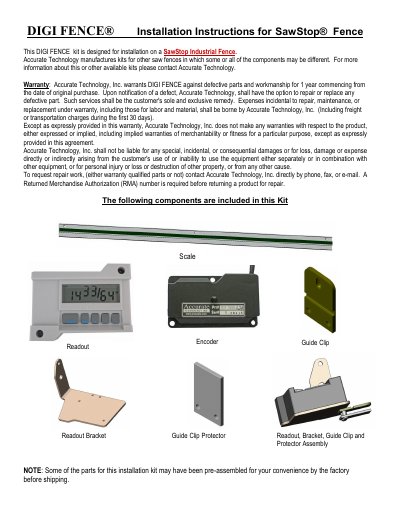
This guide provides step-by-step instructions for installing the Accurate Technology DIGI FENCE kit on a SawStop Industrial Fence. It details the required tools, component assembly, and mounting procedures for the digital scale, encoder, and readout bracket. Safety warnings regarding power disconnection are emphasized before installation begins.
| Warranty Period | 1 year |
|---|---|
| Angle Iron Leg Requirement | 3 inches long |
| Angle Iron Thickness Requirement | 0.25 inches |
| Fence Movement Speed Limit | 60 inches/sec |
Accurate Technology warrants the DIGI FENCE against defective parts and workmanship for 1 year from the date of original purchase.
Required tools include a set of small clamps, a drill, a center punch, a drill and tap for 8-32 screws, a tap handle, a #2 Phillips screwdriver, and an adjustable wrench.
Unplug the Encoder for one second and re-insert the connector into the Readout, then recalibrate the system.