
Key facts
- Manuals
- 2
- Languages
- EN
- Last added
- 2026-10-17
Featured Accurate Technology manuals
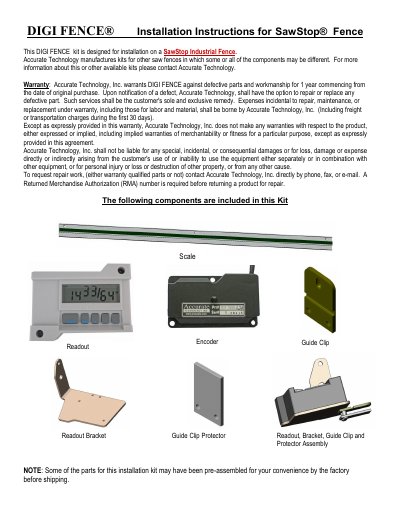
Accurate Technology DIGI FENCE Installation Guide for SawStop Fence
This guide provides step-by-step instructions for installing the Accurate Technology DIGI FENCE kit on a SawStop Industrial Fence. It details the required tools, component assembly, and mounting procedures for the digital scale, encoder, and readout bracket. Safety warnings regarding power disconnection are emphasized before installation begins.
Covers: Warranty Information · Tools Required · Installing the Scale · Installing the Encoder · Installing the DRO Bracket · Installing the Digital Readout
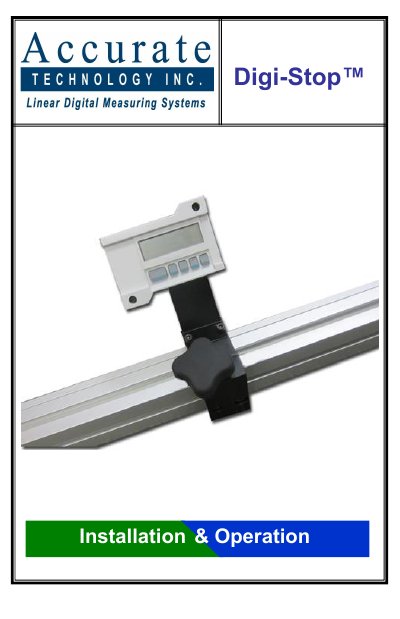
Accurate Technology Digi-Stop 800-1070-001 Installation & Operation Manual
This manual provides step-by-step instructions for installing and operating the Digi-Stop digital stop and fence system. It covers mounting the fence assembly, installing the stop, calibration procedures, battery replacement, LCD display functions, and maintenance. The manual also includes programming parameters for customizing measurement units and auto-off settings.
The Digi-Stop is designed for use with miter saws, chop saws, and radial arm saws, offering high accuracy and repeatability. It features a digital readout with adjustable units (inches, millimeters, fractions) and programmable settings for linear compensation and auto-off time.
Covers: General Information · Installation · Operation · Calibration · Battery Replacement · LCD Display
Latest Accurate Technology manuals
Accurate Technology DIGI FENCE Installation Guide for SawStop Fence
Installation Guide 4 pages · 446 KB · ENInstallation instructions for the Accurate Technology DIGI FENCE kit designed for retrofitting a SawStop Industrial Fence with a digital readout system.
Accurate Technology Digi-Stop 800-1070-001 Installation & Operation Manual
User Manual 20 pages · 899 KB · ENInstallation and operation guide for Accurate Technology's Digi-Stop digital stop and fence system, including calibration, battery replacement, and display…
Which document do I need?
Installation Guide
Mounting, wiring and first power-up. Read it before the hardware goes in.
User Manual
Day-to-day operation, settings and troubleshooting. Start here if the product is already set up.
Questions answered in Accurate Technology manuals
What is the warranty period for the DIGI FENCE kit?
Accurate Technology warrants the DIGI FENCE against defective parts and workmanship for 1 year from the date of original purchase.
From: Accurate Technology DIGI FENCE Installation Guide for SawStop Fence
What tools are required for installation?
Required tools include a set of small clamps, a drill, a center punch, a drill and tap for 8-32 screws, a tap handle, a #2 Phillips screwdriver, and an adjustable wrench.
From: Accurate Technology DIGI FENCE Installation Guide for SawStop Fence
How do I calibrate the Digi-Stop?
Cut a small part (approximately 8 inches) using the stop. Measure the length with a precise tool. Press the Datum key to zero the readout, then press and hold the + key until the measured length appears. Lock the readout if desired.
From: Accurate Technology Digi-Stop 800-1070-001 Installation & Operation Manual
How do I change the battery?
When the low battery indicator appears, remove the screws in the upper right and lower left corners, pull off the cover, replace the CR123 battery, and reattach the cover.
From: Accurate Technology Digi-Stop 800-1070-001 Installation & Operation Manual