
S-3000N Scanning Electron Microscope User's Manual introduces the features of S-3000N scanning electron microscope, including secondary electron image resolution, magnification, accelerating voltage, probe current, vacuum value, sample space, sample holder moving range, etc.
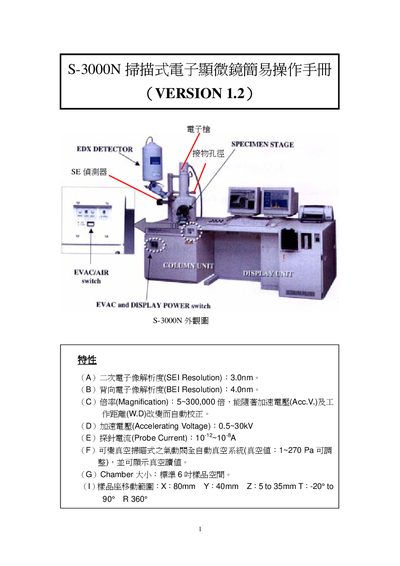
This manual provides step‑by‑step instructions for operating the S‑3000N scanning electron microscope. It describes the functions of the control panel, how to prepare and load samples, and how to adjust imaging parameters such as magnification, focus, and contrast.
The guide also includes procedures for starting up the vacuum system, aligning the electron beam, and safely shutting down the instrument. Technical specifications such as resolution, accelerating voltage range, and chamber dimensions are listed for reference. This manual is written in Chinese.
| Secondary electron resolution | 3.0 nm |
|---|---|
| Backscattered electron resolution | 4.0 nm |
| Magnification range | 5 ~ 300,000× |
| Accelerating voltage | 0.5 ~ 30 kV |
| Probe current | 10⁷ ~ 10³ A |
| Chamber size | Standard 6 cm sample space |
Use the magnification knob on the control panel to select the desired magnification range from 5× up to 300,000×.