
This General User Guide provides a comprehensive guide to all the functions included in the DiagBox diagnostic tool. This user guide is valid for both the Peugeot or Citroёn brands. It is recommended that you read this guide carefully before using the software.
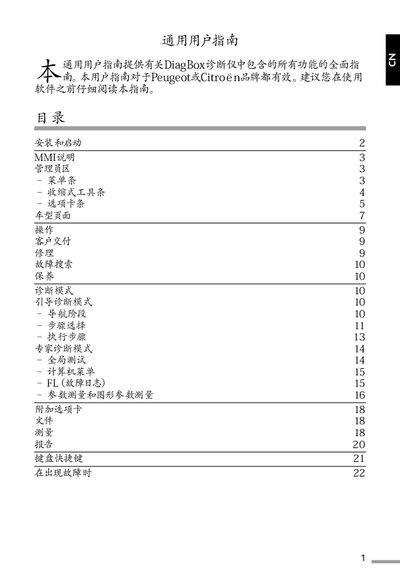
DiagBox is diagnostic software for Peugeot and Citroën vehicles. This user guide covers installation and startup, the MMI and administrator area, vehicle model selection, and the main operations: customer delivery, repair, fault search and maintenance.
It also describes guided and expert diagnostic modes, including global tests, computer menus, fault logs, parameter measurements, and the Files, Measurement and Reports tabs, plus keyboard shortcuts and troubleshooting steps. This manual is written in Chinese.
| Supported vehicle brands | Peugeot and Citroën |
|---|---|
| Compatible devices | ACTIA and SPX devices sold since 2007; PSA devices sold since 2009 |
| Supported diagnostic tools | Authorized PPS, Lexia3 and Proxia3 tools sold since 2007 |
It applies to both Peugeot and Citroën vehicles.
DiagBox can only be used on authorized PPS, Lexia3 and Proxia3 tools sold since 2007.
Click the DiagBox icon on the desktop.
Red means very important, yellow means important, and green is for informational purposes.