
SDP112 is an easy-to-install relay module that can be mounted on IEC standard rails or cabinets. The module has multiple wiring methods, including relay outputs and digital inputs. It is equipped with power indicator, run indicator, and communication indicator, as well as MODBUS and PROFIBUS communication ports. The address of the module can be set via DIP switches and supports different parity and baud rates. In addition, the module also has analog input and analog output interfaces.
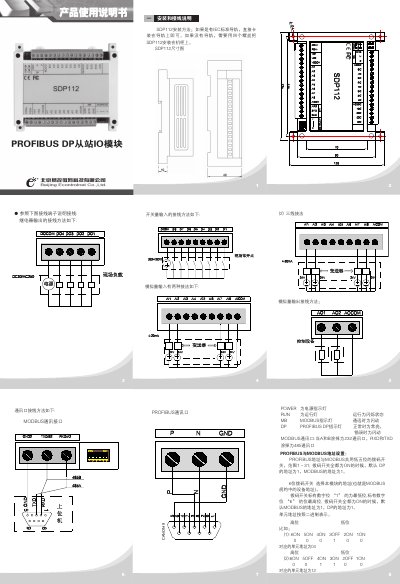
The Econtrolnet SDP112 is a PROFIBUS DP Slave I/O module featuring 8 digital inputs, 4 digital outputs, and 2 analog outputs. It supports installation on IEC standard rails or via screws and includes specific wiring diagrams for relay, switch, and analog connections. This manual is written in Chinese.
| Digital Inputs | 8 channels |
|---|---|
| Digital Outputs | 4 channels |
| Analog Outputs | 2 channels (0-20mA or 0-10V) |
| Analog Inputs | 8 channels (0-20mA or 0-5V) |
| Communication Protocol | PROFIBUS DP / RS485 |
| Power Supply | 24V DC |
The address is set using 6 DIP switches where the range is 1-31.
At 12 MBit/s the max length is 100m, at 1.5 MBit/s it is 400m, and below 187.5 kBit/s it is 1000m.