
Grandstream GXP1200 Telephone Quick Start Guide

Basic functions and usage of GXP1200 phone
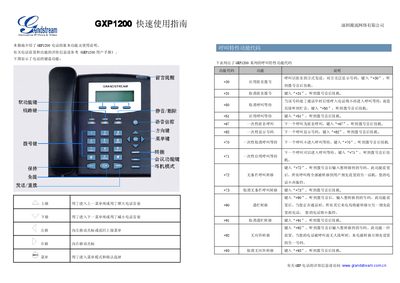

Grandstream GXP1200 Telephone Quick Start Guide - cover page
Brand
Shenzhen潮流网络
Category
Other
Document type
Quick Start Guide
Language
Chinese
Pages
2
File format
PDF
File size
314 KB
Updated
30 September, 2023
MD5 checksum
9BEBFB57B4238ED1FAB5562E0658D41C

About this manual

This guide provides a brief introduction to the GXP1200 telephone, describing the keyboard layout, line LEDs, and the basic operation of the device. It lists the feature codes for call handling such as anonymous dialing, call waiting, and call transfer.

It also explains how to make calls, use three‑way conference, access voicemail, mute the handset, enable Do‑Not‑Disturb, and customize soft‑key functions. The document is intended for quick reference when first setting up the phone. This manual is written in Chinese.

What's inside

  • Keyboard Functions
  • Feature Codes
  • Making Calls
  • Call Transfer
  • Three‑Way Conference
  • Voicemail Access
  • Mute and Do‑Not‑Disturb
  • Message Waiting Indicator
  • Soft‑Key Customization
  • LED Indicators

Frequently asked questions

How do I enable anonymous dialing on the GXP1200?

Enter *30 and hang up after hearing the dial tone.

How can I mute an ongoing call?

Press the mute button; press it again to restore the audio.

What does the LED on the line indicator do?

When there is an incoming call, the line LED flashes continuously.

How do I activate call waiting?

Enter *51 and hang up after the dial tone.

Download PDF (314 KB)

More Shenzhen潮流网络 Manuals


View all Shenzhen潮流网络 manuals →