
This document is an installation guide for the HP Deskjet D730 USB KO ZHCN EN printer under Windows and Macintosh operating systems. It provides detailed instructions and precautions for installing the printer.
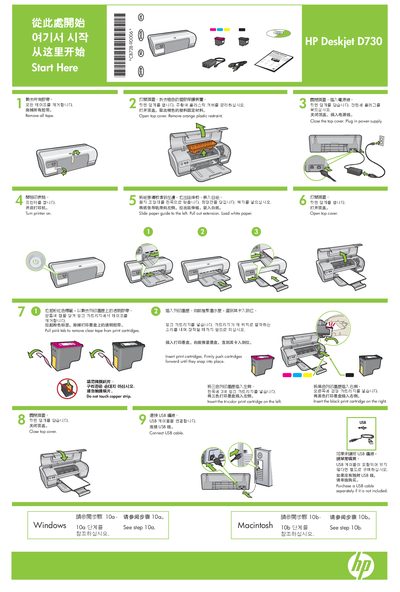
The HP Deskjet D730 is an inkjet printer designed for home and small‑office use. This guide walks you through the initial setup, cartridge installation, and connection steps.
It provides detailed instructions for installing the printer software on Windows and Macintosh systems, including troubleshooting tips for common installation problems. This manual is written in Chinese.
Run the HP installation wizard from the CD, follow the on‑screen prompts, and connect the USB cable only when instructed.
Insert the printer software CD, double‑click the installer icon in the Finder, accept the license agreement, and click Install.