
This is the user manual for Sony Ericsson K750c mobile phone, covering the assembly, use, phone calls, SMS, MMS, voice messages, emails, images, music player, radio, ringtones, themes, games, connections, more features, troubleshooting, other information, etc.
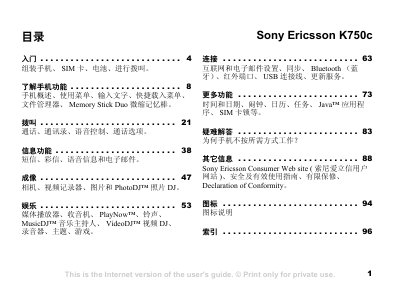
The Sony Ericsson K750c user guide covers getting started with the phone, including assembling the device, inserting the SIM card and battery, charging, and using a Memory Stick Duo. It explains the phone's keys, display, and menu navigation.
The manual details calling, messaging (SMS, MMS, email), imaging with the camera and video recorder, entertainment features like media player, radio, and games, connectivity options such as Bluetooth, infrared, USB, and internet services, as well as additional functions like calendar, alarms, Java applications, and troubleshooting. This manual is written in Chinese.
| Network bands | GSM 900/1800/1900 |
|---|---|
| Memory card support | Memory Stick Duo |
| Bluetooth | Supported |
| USB connection | Supported |
| Camera | Camera and video recorder |
| Media player | Media player and radio |
| Java applications | Supported |
| Battery charging time | Approximately 4 hours |
| Audio connector | Stereo headset and charger connector |
Slide off the battery cover, insert the SIM card with gold contacts down and notched corner aligned, place the battery label up, then slide the cover back into place.
It takes approximately 4 hours until the battery icon indicates a full charge.
The SIM card will be locked and you will need to enter the PUK code to unlock it.